
Mesh Wi-Fi vs. Range Extender: Which Should You Use?
Choose an extender when the current router is supported, stable, and reaches a useful midpoint near one problem area. Consider mesh when coverage problems affect several important rooms, roaming matters, or you are replacing the main router anyway.
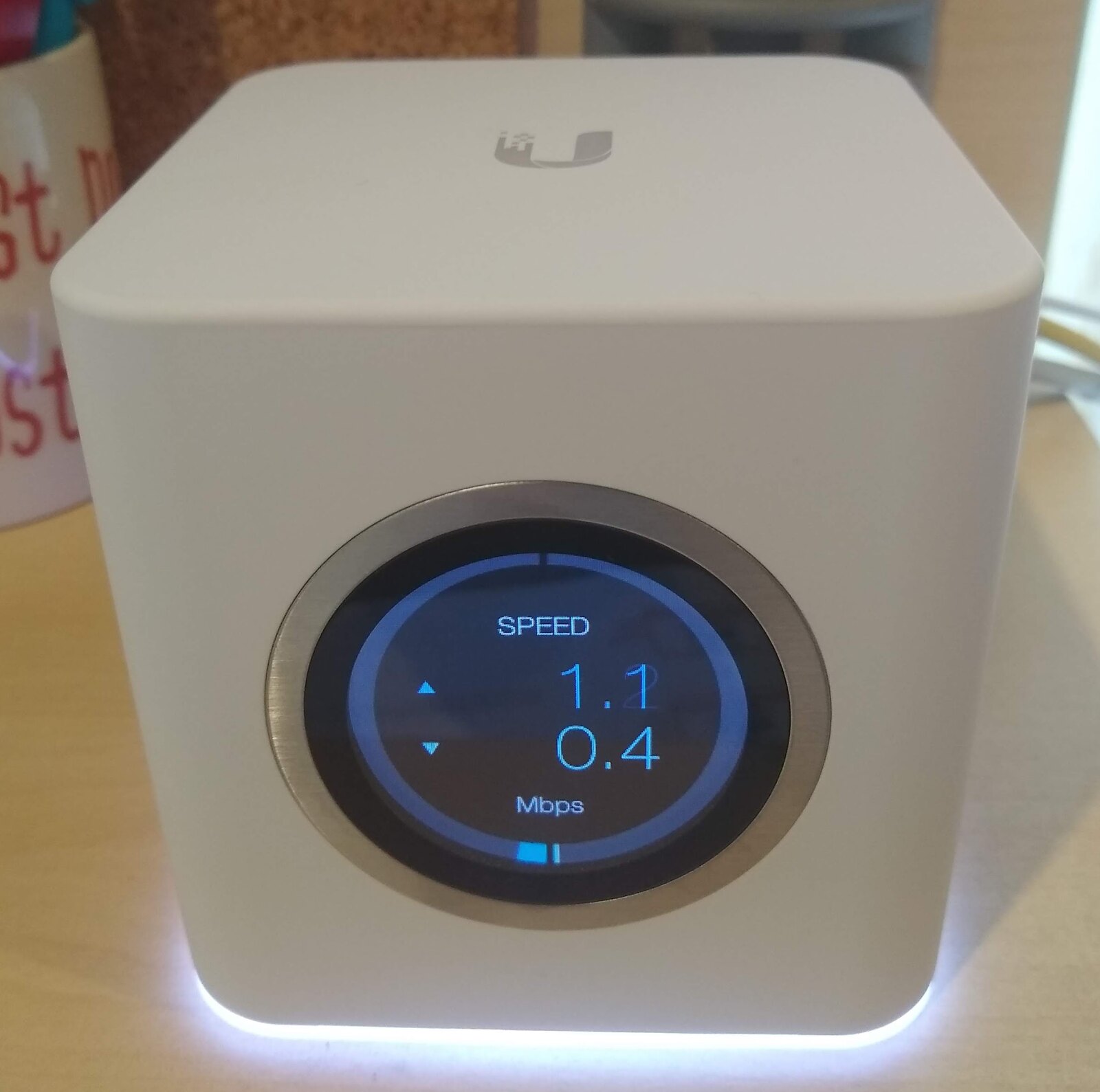
.jpg)
A range extender is usually the smaller intervention for one isolated weak area. A mesh Wi-Fi system is usually the broader intervention when several rooms or floors need coordinated coverage.
Neither option repairs:
- A slow internet plan
- An ISP outage
- A failing modem
- A badly placed main router
- Unsupported equipment
- One malfunctioning client device
Quick answer: Choose an extender when the current router is supported, stable, and reaches a useful midpoint near one problem area. Consider mesh when coverage problems affect several important rooms, roaming matters, or you are replacing the main router anyway.
Diagnose before buying
Complete these checks first:
- Test beside the router.
- Test in each weak area.
- Test another device.
- Improve router placement.
- Try 2.4 GHz and 5 GHz.
- Update supported firmware.
- Compare Ethernet when possible.
- Map the dead zones.
If performance is poor beside the router over both Wi-Fi and Ethernet, neither mesh nor an extender addresses the underlying problem.
Use:
- Why Is My Wi-Fi So Slow?
- Best Place to Put Your Wi-Fi Router
- How to Fix Wi-Fi Dead Zones Without Buying Anything
- Home Wi-Fi Dead-Zone Checklist
before making the purchase decision.
How a range extender works
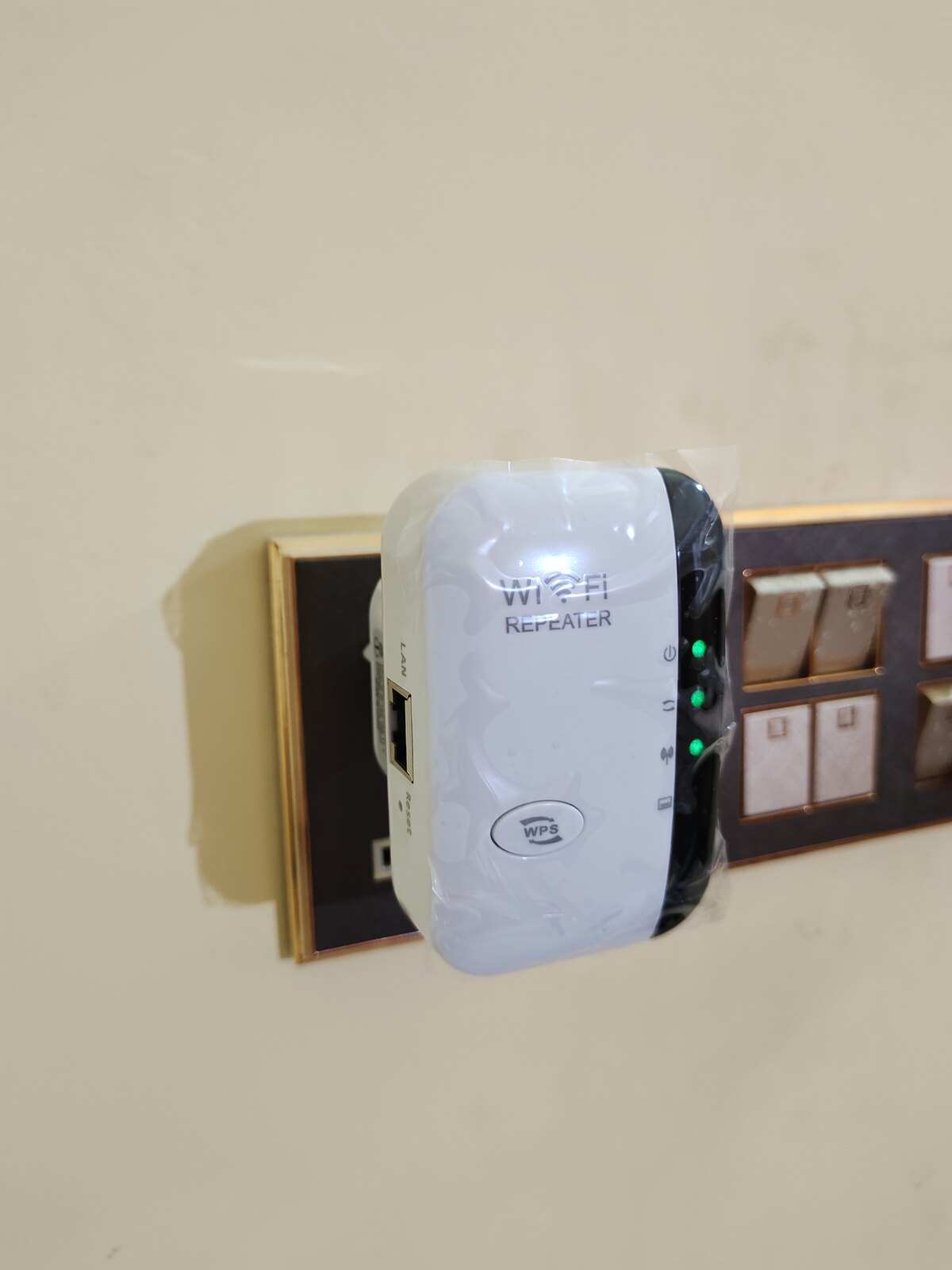
A wireless range extender receives the existing router’s Wi-Fi signal and rebroadcasts it.
It creates two important links:
- Router to extender
- Extender to client device
The extender must remain where it gets a useful router signal. Putting it inside the dead zone produces a strong-looking local connection to a poor upstream link.
Official TP-Link and NETGEAR guidance treats roughly halfway between the router and weak area as a starting point, not a universal coordinate.[1][2]
How a mesh system works
A mesh system uses multiple coordinated nodes or points as one network.
Google describes mesh as multiple connectivity points acting as a single network, with the primary device connected to the internet and additional points extending coverage around the home.[3]
Depending on the system, nodes may use:
- Shared wireless backhaul
- Dedicated wireless backhaul
- Ethernet backhaul
- Multiple radio bands
- Vendor-specific steering and roaming
- Standards-based mesh features
Exact behavior depends on the product family, hardware generation, firmware, and topology.
Range extender advantages
A range extender can make sense when:
- There is one isolated weak room.
- The current router is supported and otherwise adequate.
- The extender has a good midpoint location.
- A temporary or lower-cost fix is appropriate.
- Seamless roaming is not critical.
- The intended devices need only moderate throughput.
- The exact extender supports the router’s security mode.
It may let the household keep a working router instead of replacing the whole network.
Range extender limitations
A wireless extender may:
- Add another wireless hop
- Reduce throughput
- Create another network name
- Provide imperfect roaming
- Hide or change client information
- Lose features such as guest-network behavior
- Fail to support WPA3
- Depend heavily on placement
- Create another firmware-maintenance obligation
Google warns that third-party bridges and extenders can produce feature limitations involving device lists, guest networks, port forwarding, IPv6, quality-of-service behavior, WPA3, and reservations.[4]
Do not assume “universal” means every feature works.
Mesh advantages
Mesh is useful when:
- Several important rooms have weak coverage.
- The home has multiple floors or a long layout.
- One network should be managed as a system.
- Roaming between nodes matters.
- Nodes can be placed with useful backhaul.
- Ethernet backhaul is available.
- The current router is due for replacement.
- The household wants one supported ecosystem.
Google notes that mesh points provide multiple sources of connectivity and can route traffic through the network, while wired connections may be used on compatible hardware.[3][5]
Mesh limitations
Mesh can cost more and may require:
- Replacing the router
- Creating an account
- Using a vendor app
- Maintaining several nodes
- Accepting cloud-managed features
- Buying compatible generations
- Careful node placement
- Ethernet wiring for best backhaul
- Additional power outlets
Too many poorly placed nodes can make performance worse rather than better.
Google warns that more than five Google Wifi points may degrade performance in that product family.[6] That is product-specific evidence, not a universal five-node law.
Backhaul is the deciding detail
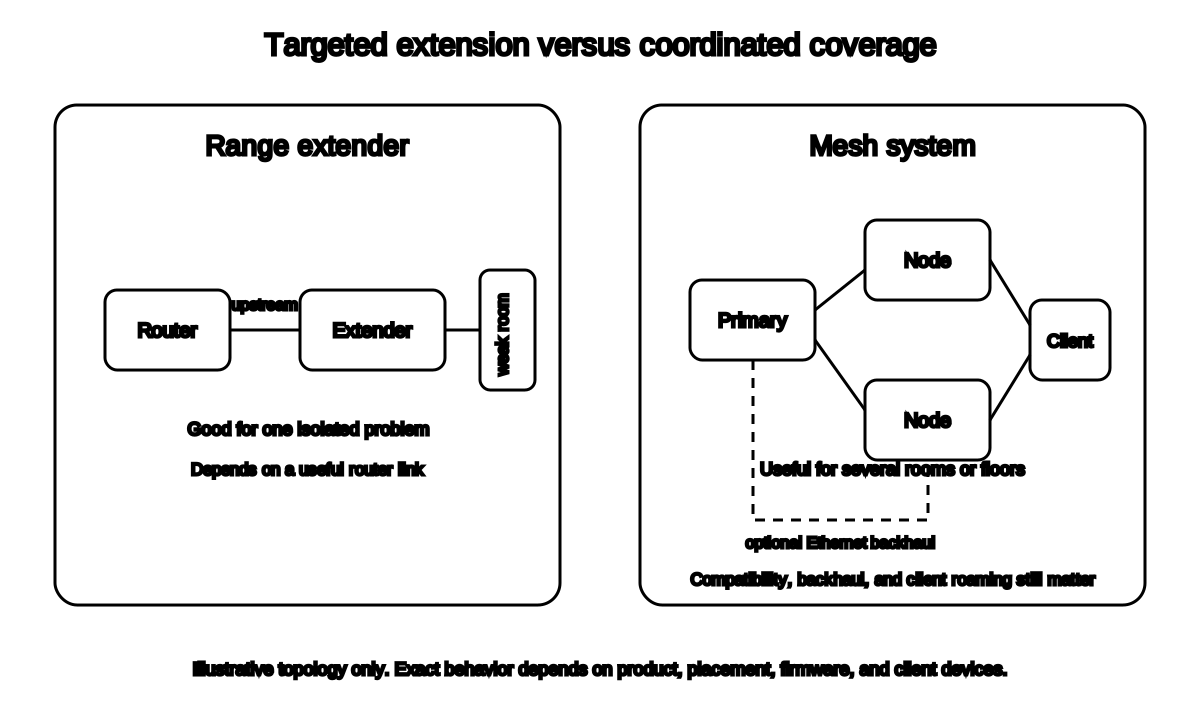

Backhaul is the link between network nodes and the primary router.
Wireless backhaul
Advantages:
- Easier installation
- No new cable
- Flexible placement
Limitations:
- Consumes wireless capacity
- Suffers from walls and interference
- Can become a bottleneck
- May vary by band and product
Ethernet backhaul
Advantages:
- Stable node-to-node link
- Avoids wireless backhaul interference
- Can preserve more radio capacity for clients
Limitations:
- Requires cable, ports, and switches
- Product must support it
- Wiring may be difficult
- A slow port or cable can cap the link
Do not assume every mesh point has Ethernet ports. Google notes that some Nest Wifi points cannot be hardwired, while other Nest and Google Wifi devices can.[5]
Roaming is not controlled entirely by the network
Mesh systems can assist roaming, but the client device still makes connection decisions.
Results depend on:
- Device operating system
- Wi-Fi hardware
- Signal thresholds
- Network steering
- 802.11k, v, and r support
- Vendor implementation
- Security mode
“One network name” does not guarantee a video call will move between nodes without interruption.
Compatibility must be exact
Before buying, verify:
- Router model and hardware version
- Mesh or extender model
- Firmware
- Supported bands
- WPA2 and WPA3 support
- Backhaul modes
- Access-point mode
- Bridge mode
- ISP gateway requirements
- Regional version
- Mobile-app requirements
- End-of-support status
Google explicitly states that Nest Wifi Pro cannot be combined with older Nest Wifi or Google Wifi points in one mesh.[6][7]
TP-Link distinguishes several mesh families that do not all interoperate, even when the same manufacturer name appears on the box.[8]
No Batch 6 article should recommend an exact product without current compatibility and support evidence.
Cost comparison
A range extender often has a lower purchase price.
Mesh may require:
- Two or more nodes
- A switch
- Ethernet cable
- Additional power
- Replacement of the existing router
But a cheap extender that cannot maintain a good upstream link is not a bargain. It is an illuminated wall decoration performing network-themed theater.
Compare total system cost, not one device price.
Decision table
| Situation | Better starting option |
|---|---|
| One weak bedroom near useful router coverage | Range extender |
| Several weak rooms on multiple floors | Mesh |
| Existing Ethernet reaches distant rooms | Wired access point or wired mesh node |
| Main router is unsupported | Replace router or use a new mesh system |
| Highest stability needed at one fixed desk | Ethernet |
| Concrete or metal blocks wireless backhaul | Ethernet access point or wired mesh |
| Router is slow beside the router itself | Diagnose router, modem, ISP, or device first |
| Seamless roaming is important | Compatible mesh, with realistic client-device caveat |
Frequently asked questions
Is mesh always faster than an extender?
No. Backhaul, placement, hardware, interference, ports, and client capability matter.
Can I add mesh nodes to my current router?
Only when the exact products and modes support it. Some mesh systems replace the router; others support access-point or interoperable modes.
Is an extender enough for a two-story home?
It may be, especially for one weak area. Multiple weak rooms may justify another design.
Can an extender use Ethernet?
Some support access-point mode or Ethernet backhaul; others only provide a client Ethernet port. Verify the manual.
Is mesh worth it for one apartment room?
Usually not before router placement, band choice, and one targeted extender or Ethernet option are tested.
Related guides
Source notes
- How to Boost Your Wi-Fi Signal: Range Extender, Powerline, or MeshTP-Link Support
- Where should I place my NETGEAR WiFi range extender?NETGEAR Support
- What is a mesh network?Google Home and Nest Help
- Use Nest Wifi or Google Wifi with wireless extendersGoogle Home and Nest Help
- Hardwire Nest Wifi Pro, Nest Wifi or Google Wifi with EthernetGoogle Home and Nest Help
- What is Google Wifi?Google Home and Nest Help
- Set up Nest Wifi Pro or Nest WifiGoogle Home and Nest Help
- Mesh Compatibility: Deco, OneMesh, EasyMesh & OmadaTP-Link Support
See something wrong or out of date? Report a correction.