
Router Restart vs. Reset: What’s the Difference?
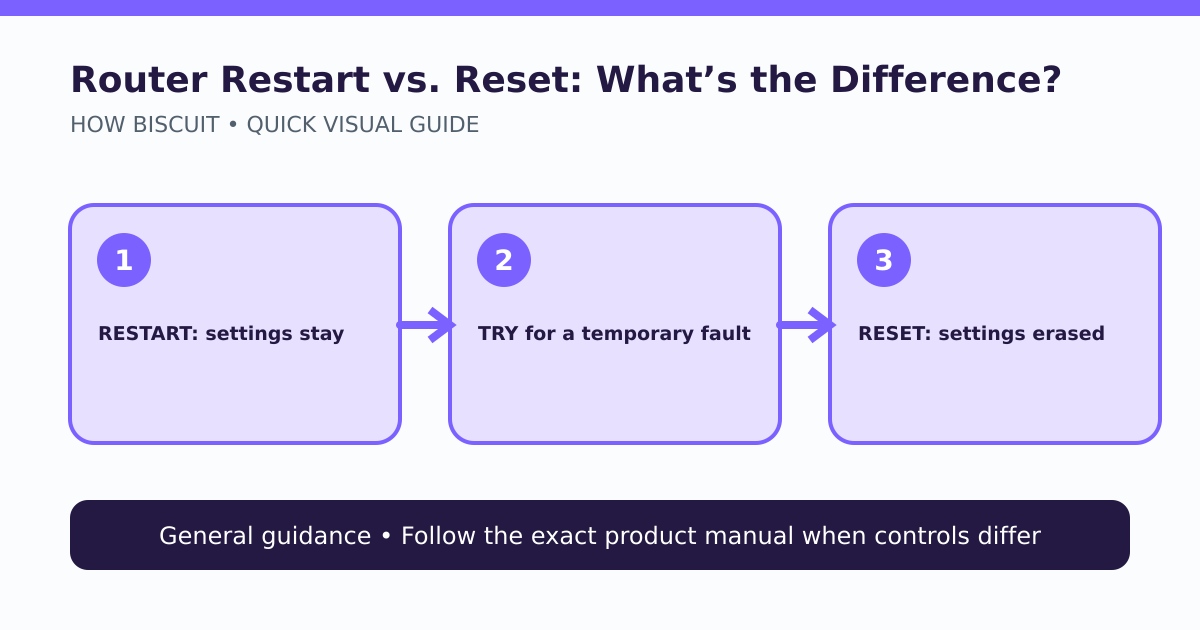
A restart turns the router off and back on while preserving settings; a factory reset erases personalized settings and returns the device to its factory configuration.
What to know
- Restart before reset for a routine temporary connectivity problem.
- A factory reset can remove Wi-Fi names, passwords, ISP settings, and other custom configuration.
- Back up or record what you need and use instructions for the exact router model.
A router restart and a router factory reset are not the same operation. Restarting—or power cycling—temporarily removes power and boots the existing configuration again. A factory reset erases personalized configuration and returns the router to its factory state. For an ordinary connection problem, restart is the lower-risk first step. [1] [2]
The lead diagram highlights the decision boundary: a reset is not a stronger version of a reboot. It creates setup work and can remove information needed to reconnect.
What a restart does
A restart reloads the router’s software and re-establishes connections while retaining the saved network name, Wi-Fi passphrase, parental controls, port rules, and other settings. NETGEAR’s general power-cycle procedure has the owner turn off the router, wait, and turn it back on; the exact sequence can include a separate modem. [1]
Before cycling anything, note which box is the modem, router, or combined gateway. Follow the internet provider’s or manufacturer’s sequence because connection order and indicator behavior vary. Give the equipment time to complete its normal boot rather than pressing buttons repeatedly.
A restart may clear a temporary software or connection state. It cannot repair a damaged cable, restore power to an outage, correct every provider problem, or undo an unwanted configuration change. If only one phone or laptop is affected, troubleshoot that device before disrupting the whole network.
What a factory reset does
A factory reset intentionally removes personalized settings. NETGEAR warns that its reset process deletes settings including the user name, password, Wi-Fi network name, and security configuration; other brands have their own lists and procedures. [2] Afterward, the router must be configured again before the household network works as expected.
Do not press a recessed Reset button casually, especially while trying to find WPS or power. On some products a short press and a long hold can do different things. Never use a generic hold time from another model as proof of the correct procedure.
When a reset may be justified
A factory reset can be appropriate when the exact model’s support instructions require it, you are transferring ownership, the configuration is irrecoverably wrong, or a controlled security-recovery plan calls for returning to defaults. Before proceeding:
- Confirm you have administrative access and the exact model instructions.
- Record provider-specific settings and any custom network configuration.
- Export a configuration backup if the manual supports it and the backup is trustworthy.
- Plan new administrative and Wi-Fi credentials; do not rely on examples from a generic article.
- Make sure someone can reconnect wired or locally if Wi-Fi disappears.
A quick decision rule
For a transient slowdown or disconnect affecting the network, check service status and cables, then perform the documented restart. For a forgotten administrative credential, corrupted configuration, ownership transfer, or explicit support instruction, prepare for a factory reset. When in doubt, stop before pressing Reset and find the model manual.
Limits of this guidance
This comparison uses NETGEAR documentation to establish the common distinction, not to imply that every router shares NETGEAR’s button placement, timing, defaults, or recovery flow. It reports no device test and promises no fix. Provider-managed gateways, mesh systems, fiber terminals, and business networks may require coordinated support.
Limits and cautions
- Button names, timing, backups, and defaults vary by router model and firmware.
- A restart is not guaranteed to fix an ISP outage, damaged hardware, or compromised configuration.
- No router was evaluated for this article.
Source notes
- How do I power cycle or reboot my NETGEAR router?NETGEAR Support
- How do I perform a factory reset on my NETGEAR router?NETGEAR Support
See something wrong or out of date? Report a correction.